Platform Basics & Value
The fundamentals: what FreeGuides is, who it's for, and what it costs.
Platform Basics & Value: questions and answers
A digital guest experience platform for hostels and hotels. One QR code opens your property's guest profile in the browser — no app download — giving guests your house info (Compendium), an AI receptionist (Eli), self-guided tours, local recommendations, bookable activities, an events calendar and a guest group chat. Guests travel to explore like a local, and instead of quizzing the front desk they scan one code for everything they need. You manage it all from one dashboard at app.freeguides.com.
To solve the "Gelato Problem"—where a guest asks reception for a tip, but the staff member isn't a local and doesn't know the best spots. Now guests simply scan the QR code, click recommendations, and see property-approved spots with your own insights like the best flavours to try or even discounts.
It eliminates "QR clutter." One scan covers everything from the Wi-Fi password to a food tour.
No. It is 100% web-based. No downloads required for guests.
37,304+ rooms globally, in 163 cities.
100% guest scan rates to reduce repetitive reception questions.
Europe's Famous Hostels (EFH) members get Digital Compendium, Recommendations & Activities, Events (coming soon), and Pop-ups & Marketing included free. Self-guided Tours, Group Chat, and Eli AI Assistant are optional paid add-ons.
Visit our calculator for a full list of features and pricing: https://freeguides-pricing-calculator.vercel.app/
Yes, it stays in their browser history as a digital souvenir.
Yes, it is GDPR-compliant and doesn't share guest phone numbers.
It works on any device with a modern mobile browser.
Go to https://app.freeguides.com/signin. Log in with Google, Facebook or Apple, or with email + password.
Use the "Forgot password?" link on the sign-in screen to reset it by email. If you still need help, contact the team via WhatsApp or support@freeguides.com.
All major global languages are supported via auto-translation. We use the phone settings to dynamically change the language for each guest.
Yes, it is used by hotels, hostels, and even tourism boards as a virtual visitor centre.
Since the redesign, the left-hand menu is grouped into three sections: CONTENT (Compendium, Tours, Recommendations, Activities, Events), OPERATIONS (AI Reception, Group Chat, PMS / Services, Contact Details, Marketing) and MANAGEMENT (Branding/Buttons, Analytics). Loyalty appears greyed-out marked SOON. Every editor page shares the same top bar: a visibility toggle for that feature, Discard, Publish, and Preview / Share.
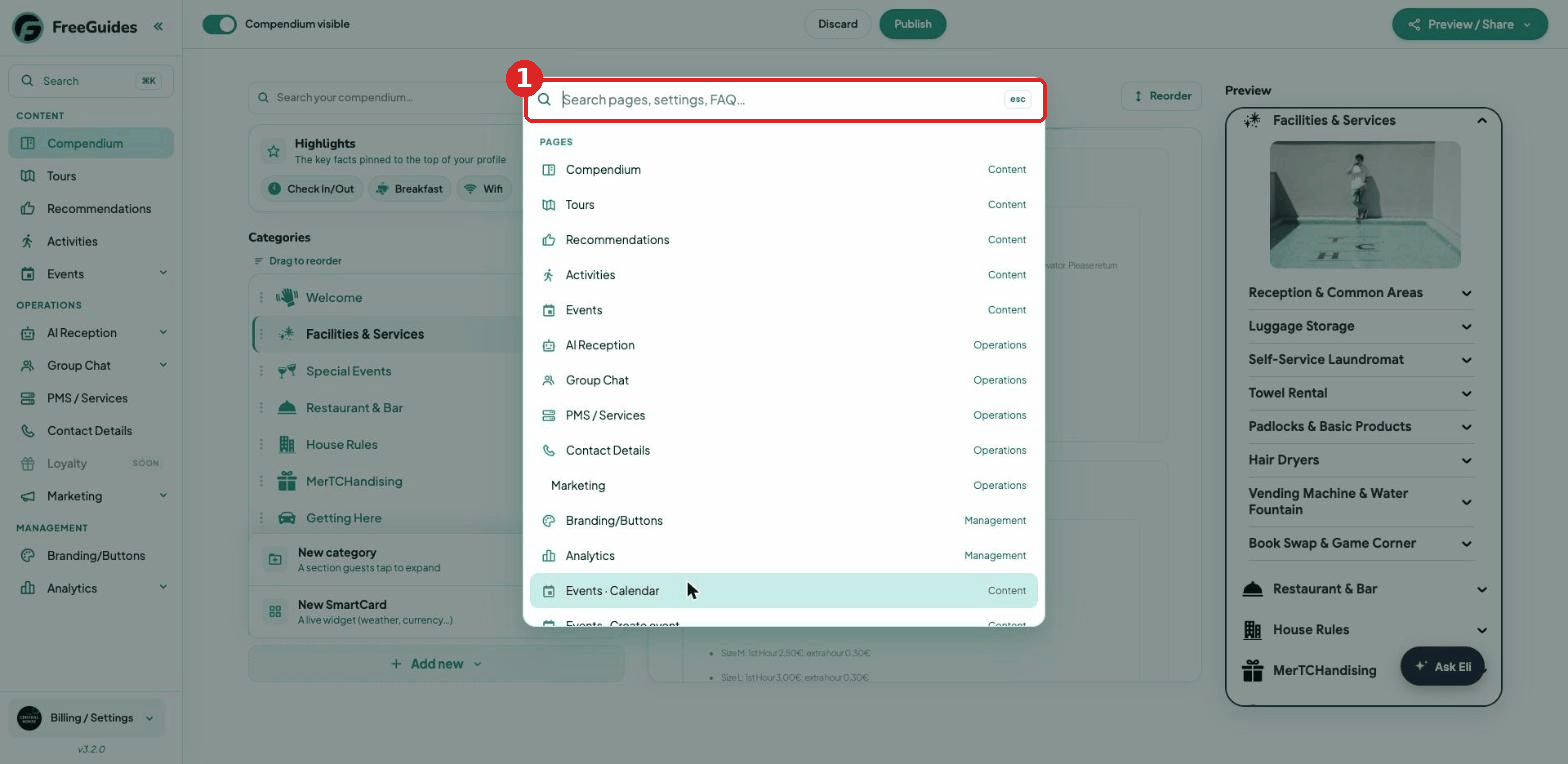
Press ⌘K (Mac) or Ctrl+K (Windows) anywhere in the dashboard, or click the Search box at the top of the menu. Type a page name or a topic like "translation" or "wifi" and jump straight there. Results are labelled with their group (Content / Operations / Management).
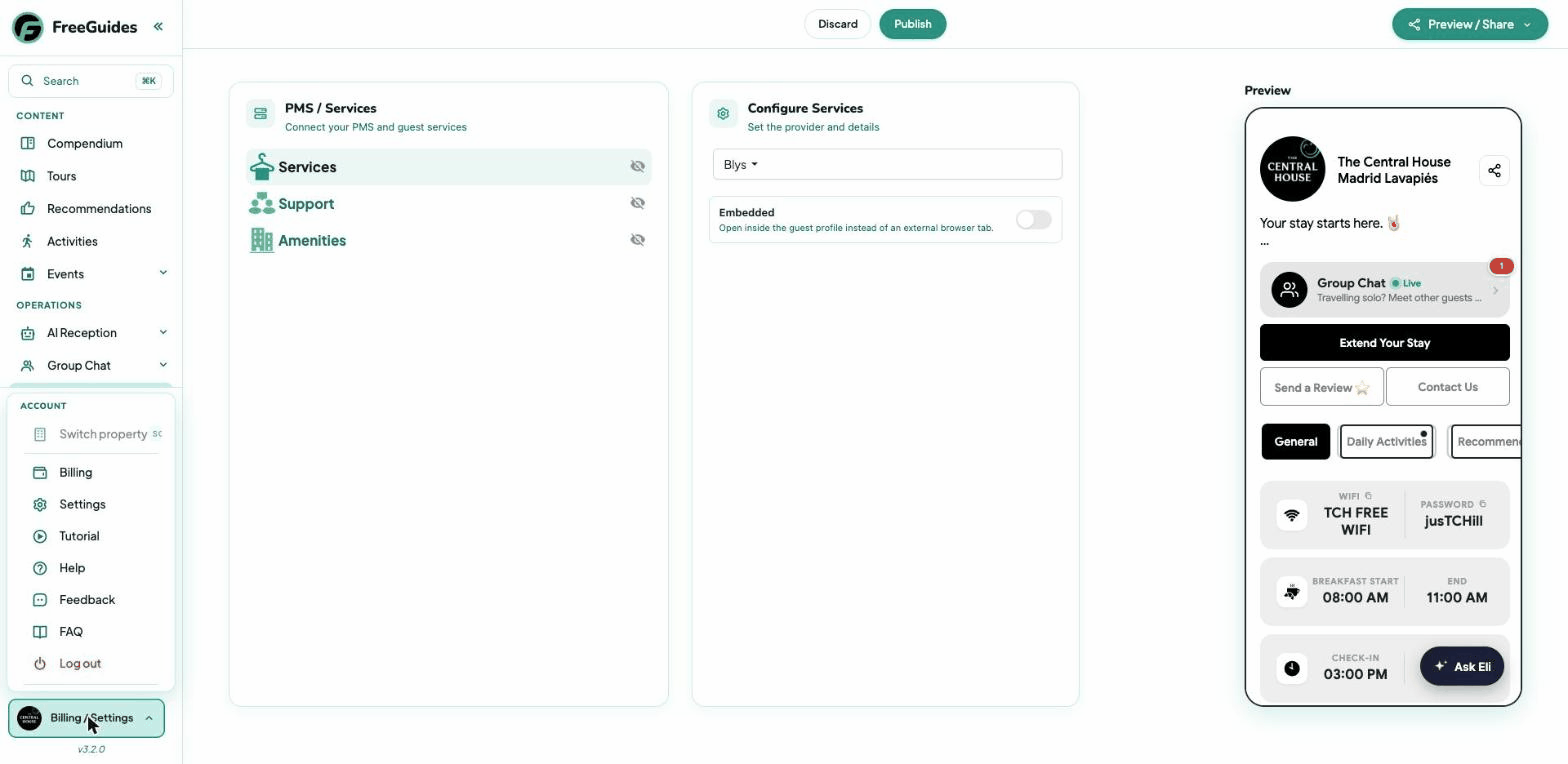
Click Billing / Settings at the bottom-left of the menu. The Account menu contains Switch property (rolling out — marked SOON), Billing, Settings, Tutorial (the guided walkthrough), Help, Feedback (send notes straight to the FreeGuides team), FAQ and Log out.
Yes — choose Tutorial in the Account menu to launch a step-by-step walkthrough of the dashboard, now including Contact Details. Use it to train new staff without booking a call.
Yes — each property has its own profile, QR and dashboard. A "Switch property" control now sits in the Account menu (marked SOON while it rolls out). Group-level analytics already compare your properties against each other — see Analytics.
Know this section well? Take the FreeGuides quiz and see where you land on the leaderboard.
Set up in 5 minutes. Live in 48 hours.
Tell us about your property in two minutes and we’ll build your own demo. Live in about 48 hours when you’re ready.
Create your own demo